
Why Claude AI Is Taking Over Small Business Operations—and How to Harness Its Power
Artificial intelligence is quickly moving beyond the experimental stage. For small businesses, it is becoming a practical tool for managing daily operations, improving customer service, producing marketing content and making better decisions.
One platform gaining significant attention is Claude AI, developed by Anthropic.
Claude is no longer simply an AI chatbot that answers questions or writes emails. Its expanding collection of integrations, automation features and agentic capabilities allows it to work across the software businesses already use. Instead of merely suggesting what should be done, Claude can increasingly help complete the work.
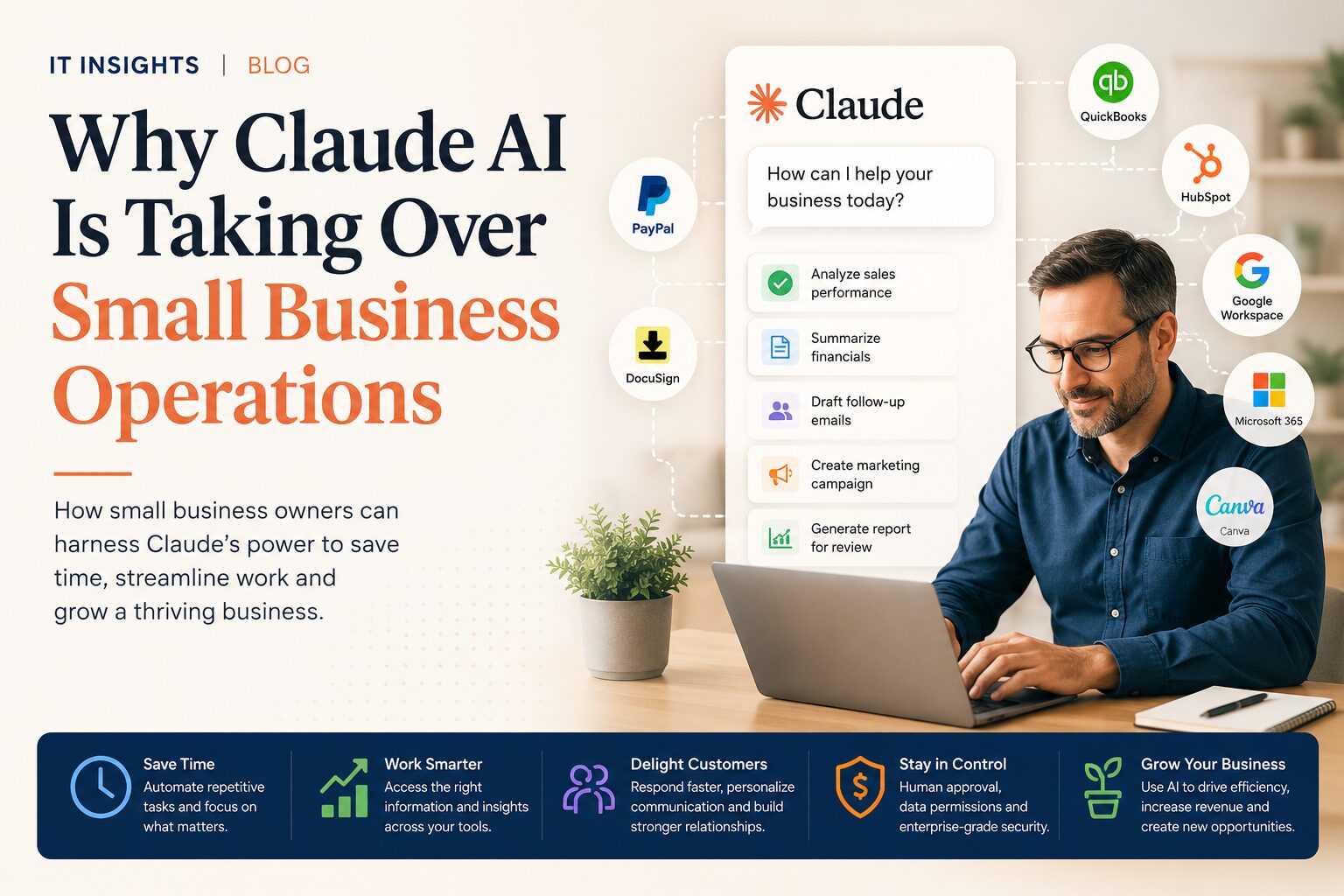
Anthropic reinforced this direction in May 2026 with the introduction of Claude for Small Business, a collection of connectors and ready-to-use workflows designed specifically for business owners. It can connect with platforms including QuickBooks, PayPal, HubSpot, Canva, DocuSign, Google Workspace and Microsoft 365. (Anthropic)
This shift could fundamentally change how smaller companies operate.
Claude Is Becoming More Than a Chatbot
The first generation of generative AI tools required users to copy information into a chat window, ask a question and manually transfer the answer into another application.
Claude’s newer approach is much more integrated.
Through Claude Cowork, connectors and specialized workflows, a business owner can assign Claude a goal and allow it to work across approved files, folders and applications. Claude can research information, organize data, create documents, update files and prepare completed work for human review. (Anthropic)
For example, a business owner could ask Claude to:
- Review sales performance from the previous month.
- Identify overdue invoices.
- Create a cash-flow summary.
- Draft payment reminders.
- Prepare a marketing campaign for a slower sales period.
- Produce promotional materials.
- Build a management report for review.
What previously required switching between several applications can increasingly be managed through one AI-powered workflow.
That is why Claude is beginning to feel less like a chatbot and more like an operating layer for the business.
Why Claude Is So Attractive to Small Businesses
Large organizations often have specialized departments for finance, marketing, human resources, IT, data analysis and customer service.
A small business may have one person performing several of those roles.
Claude helps close that resource gap by providing affordable access to capabilities that once required additional employees, consultants or expensive software systems. It does not replace the experience of qualified professionals, but it can dramatically reduce the administrative work surrounding them.
1. It Works Inside Familiar Business Tools
Small businesses rarely need another isolated application. They need their existing systems to work together more effectively.
Claude for Small Business is designed to connect with common platforms used for accounting, payments, customer management, document signing, productivity and design. Its initial release included 15 ready-to-run workflows covering finance, operations, sales, marketing, human resources and customer service. (Anthropic)
This allows companies to adopt AI without completely rebuilding their technology environment.
2. It Can Complete Multi-Step Assignments
Claude Cowork is designed for tasks that involve more than generating a single response.
A user can give Claude a goal, specify which files and tools it may access and allow it to complete several related steps. Claude shows the work it is performing and returns the result for review. It can also divide larger assignments into smaller tasks that run in parallel. (Anthropic)
For a small business owner, this could mean turning a folder of sales exports into a completed management presentation instead of spending an afternoon sorting spreadsheets and formatting slides.
3. It Brings Scattered Information Together
Business information is frequently spread across emails, calendars, accounting platforms, shared drives, customer-management systems and employee documents.
Claude’s connectors can help retrieve and organize that information.
Its Google Workspace connectors, for example, can search Gmail, work with calendars, access supported Drive files and save generated files back to Google Drive. Actions involving connected systems require explicit user approval. (Claude Help Center)
This can reduce the time employees spend searching for information and assembling it manually.
4. It Can Create Useful Business Tools
Claude’s Artifacts feature can turn plain-language instructions into shareable content, visualizations, tools and interactive applications. (Claude Help Center)
A business could use this capability to create:
- A pricing calculator.
- A project-estimation tool.
- An employee onboarding guide.
- A customer questionnaire.
- A simple inventory dashboard.
- A lead-qualification worksheet.
- An internal troubleshooting assistant.
Not every internal tool needs to become a large software-development project. Claude can help businesses prototype practical solutions quickly and improve them over time.
5. It Keeps People in Control
Handing business tasks to AI requires appropriate safeguards.
Claude for Small Business is structured around human approval. The user initiates the workflow, can review the proposed plan and approves actions before information is sent, posted or paid. Existing application permissions also remain in place, meaning Claude should not give an employee access to information that the employee could not otherwise view. Anthropic also states that it does not train on customer data by default under its Team and Enterprise plans. (Anthropic)
Claude Cowork similarly allows users to choose which folders and tools Claude can access, while significant actions can be configured to require approval. (Anthropic)
These controls are essential, but businesses must still develop their own AI policies and security procedures.
Seven Ways Small Businesses Can Use Claude Today
1. Automate Administrative Work
Claude can help draft routine correspondence, summarize meetings, organize documents, create schedules and convert rough notes into professional reports.
Employees can spend less time formatting information and more time serving customers or completing revenue-producing work.
2. Improve Sales Follow-Up
Claude can summarize customer histories, prepare meeting briefs, draft personalized follow-up messages and identify opportunities that may have stalled.
When connected to an approved customer-management system, it can help sales teams understand pipeline movement and determine which leads require attention.
3. Produce Better Marketing Content
Small businesses often struggle to publish content consistently.
Claude can help create:
- Blog articles.
- Email newsletters.
- Social-media posts.
- Product descriptions.
- Advertising concepts.
- Video scripts.
- Customer case studies.
- Campaign plans.
Claude for Small Business can also combine customer and sales information from HubSpot with content creation through Canva, allowing an owner to move from campaign analysis to prepared creative material within one workflow. (Anthropic)
The strongest results still come from human review. AI should accelerate the company’s voice, not replace it with generic content.
4. Strengthen Customer Service
Claude can help businesses build response templates, summarize customer conversations and create searchable knowledge resources for employees.
It can also analyze recurring questions to identify unclear policies, product issues or opportunities for better customer education.
Claude should not be allowed to make sensitive promises, issue refunds or change contractual terms without clearly defined authorization.
5. Understand Financial Performance
Many owners receive accounting reports but do not always have time to analyze them.
Claude can help translate financial information into plain language, compare actual results with expectations and identify questions that should be discussed with an accountant.
Anthropic’s small-business workflows include reconciling records, identifying mismatches, preparing plain-language profit-and-loss explanations and assembling month-end information for an accountant. (Anthropic)
Claude can support financial analysis, but it should not replace professional accounting, tax or legal advice.
6. Document Business Processes
A company becomes difficult to scale when important procedures exist only in the owner’s memory.
Claude can turn employee notes, recordings and existing documents into:
- Standard operating procedures.
- Training manuals.
- Safety checklists.
- Quality-control processes.
- Customer-service scripts.
- New-employee onboarding materials.
Documented processes make it easier to train employees, delegate responsibilities and maintain consistent service.
7. Support IT and Technology Management
Claude can help employees understand technical errors, write troubleshooting instructions, review system documentation and create internal technology policies.
It can also assist developers and IT providers with coding, debugging and software documentation. However, AI-generated technical changes must be tested and reviewed before being introduced into a production environment.
A Practical 30-Day Claude Adoption Plan
The best way to introduce Claude is not to automate the entire company at once.
Start with one measurable problem.
Week One: Identify Repetitive Work
Ask employees which tasks consume time but require limited judgment.
Look for activities such as copying information between systems, summarizing documents, preparing routine reports, drafting standard emails or searching for files.
Choose one process that occurs frequently and has a low operational risk.
Week Two: Build the Workflow
Document the current steps, required information and expected result.
Give Claude examples of successful work, company terminology, brand guidelines and clear instructions. Test the workflow using non-sensitive or sample information before connecting live business systems.
Week Three: Add Controlled Access
Connect only the tools required for the selected workflow.
Apply the principle of least privilege: Claude and the employees using it should receive only the access needed to complete the task.
Require human approval for communications, financial transactions, file deletion and changes affecting customers or employees.
Week Four: Measure the Results
Compare the new process with the old one.
Track:
- Time saved.
- Error rates.
- Turnaround time.
- Customer response time.
- Employee satisfaction.
- Revenue generated.
- Costs reduced.
A successful AI implementation should produce a visible business improvement. If the workflow does not save time, improve quality or generate value, revise or discontinue it.
Avoid the Biggest AI Adoption Mistakes
Claude is powerful, but it is not infallible.
Businesses should avoid uploading confidential information into unapproved accounts, allowing unsupervised financial actions or publishing AI-generated material without review.
Every organization should establish rules covering:
- Approved AI platforms and accounts.
- Information that may or may not be shared.
- Employee access and permissions.
- Required human approvals.
- Fact-checking and quality control.
- Customer disclosure where appropriate.
- Record retention.
- Incident reporting.
- Regular security reviews.
Employees should also understand that Claude can generate incorrect information. Important financial, legal, medical, contractual and technical decisions must always be verified by a qualified person.
The Competitive Advantage Will Come From Better Workflows
Access to AI alone will not create a thriving business. Most companies will eventually have access to similar technology.
The advantage will come from how effectively each business integrates AI into its operations.
Companies that develop clear processes, maintain high-quality data and train their employees to collaborate with AI will move faster than competitors using Claude only as a writing assistant.
The goal is not to remove people from the business. It is to remove the repetitive work that prevents people from improving the business.
Claude can handle research, organization, preparation and first drafts. Owners and employees can then concentrate on judgment, relationships, creativity and leadership.
The Future of Small Business Is AI-Assisted
Claude is taking a larger role in small-business operations because it addresses a problem that has existed for decades: owners have more responsibilities than time.
Its growing ability to work across accounting, sales, marketing, productivity and communication platforms means AI is moving from the side of the business into the centre of its daily operations.
Small-business owners who begin carefully, protect their data and focus on practical workflows can use Claude to reduce administrative pressure, improve customer experiences and make better-informed decisions.
The businesses that thrive will not necessarily be those that automate everything. They will be the ones that combine AI efficiency with human expertise.
For organizations unsure where to begin, a qualified IT provider can assess existing workflows, establish security controls, connect approved systems and develop an AI adoption strategy aligned with measurable business goals.
Claude may provide the intelligence, but thoughtful implementation is what turns that intelligence into business growth.
This can also be adapted with your IT company’s name, services and a stronger lead-generation call to action.


